You started a food business to create, not to file paperwork. Yet every day the clipboards, batch sheets, and sign-offs keep piling up. Enterprise systems promise digital traceability, but they want you to pause production, roll computers onto the floor, train the team on new screens, and hope no one is covered in honey when keying in information.
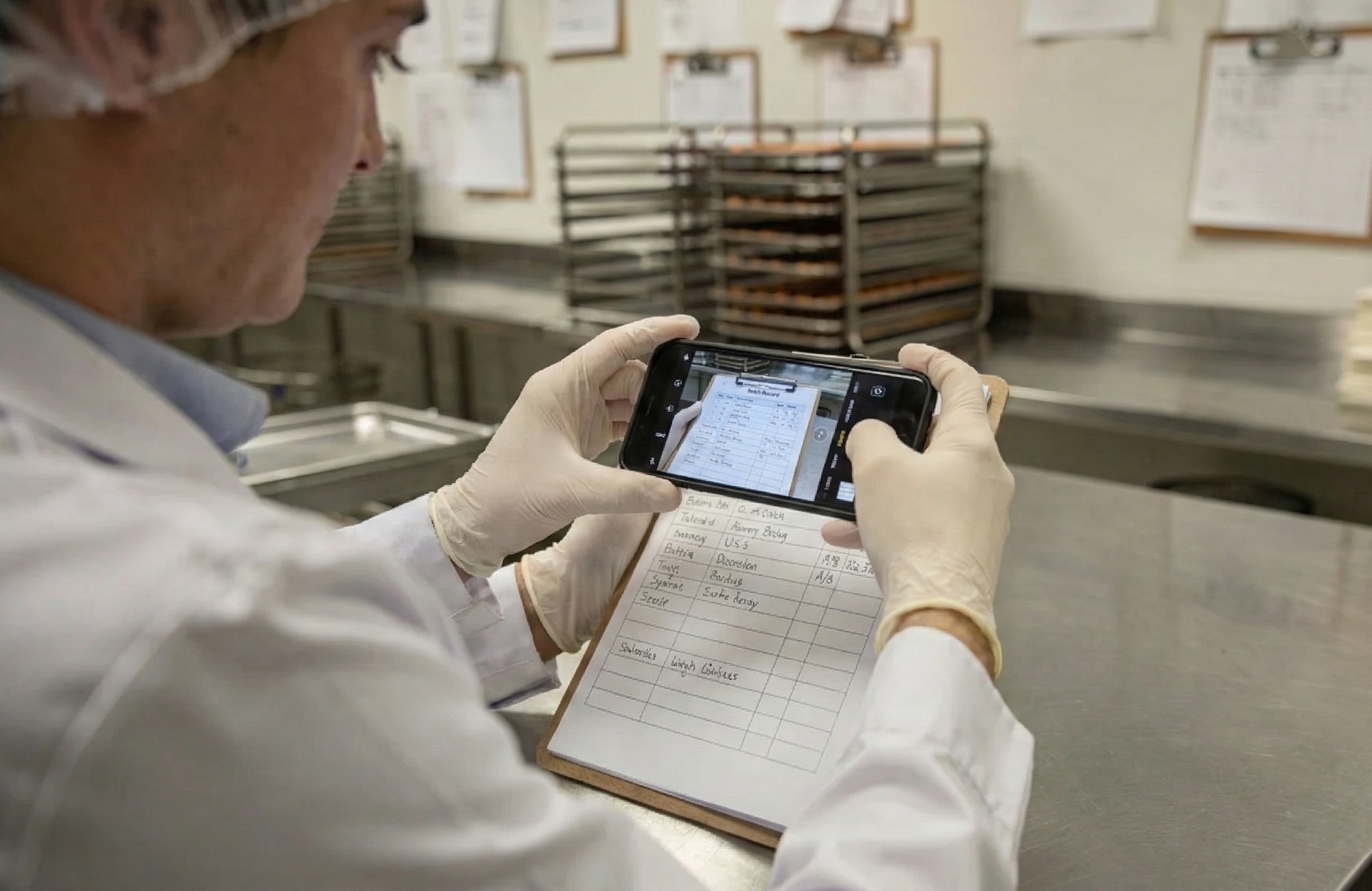
There is another path. Keep your paper. Keep your rhythm. Capture data without pausing production by snapping a photo of the forms you already use. Batch Better reads those forms and turns them into recall-ready, lot-level inventory data without the need for new equipment.
Why traditional floor systems slow small producers
Big manufacturers can justify tablets, scanners, printers, and long SOPs on the floor. Smaller teams cannot. When every pair of hands is needed at the table, stopping to log into a device or fix a label printer breaks the flow.
Common pain points we hear:
- Devices do not play well with gloves, steam, or flour dust.
- Training everyone on new screens costs time you do not have.
- Rolling out tech to the production floor is cost and time intensive.
- The real world is messy, and people write notes on the nearest sheet anyway.
Paper wins on flexibility. The problem is not paper, it is finding and using the information when you need it for inventory management, lot tracing, and audits.
Capture data without pausing production
Batch Better digitizes the paper logs you already trust. You write as usual. When there is a natural break, you or someone on your team take a quick photo of the completed sheet. Our AI-powered data extraction handles the rest: it reads the key fields, validates them, and turns them into structured inventory and lot history you can search in seconds.
Nothing big needs to change to get value. You keep your forms, your clipboards, and your pace.
How it works in real life
- Keep using your current batch sheets, receiving logs, and shipping forms.
- Snap a photo or upload a scan when a sheet is finished or at a natural pause.
- Batch Better extracts lot numbers, dates, quantities, ingredients, yields, and sign-offs, then checks for missing or impossible values.
- Your workspace updates with real-time inventory and instant lot tracing. When you need a report, you export it in a click.
What gets captured from your forms
Every operation is different, so we map the fields you already use. Typical data includes:
- Product names and batch numbers
- Production and best by dates
- Ingredient lots and suppliers
- Quantity, weights, yields, scrap, rework
- Packaging details and label versions
- Operator initials and CCP checks
From binder to instant lot tracing
Picture the 3 p.m. call: a supplier alerts you to a problematic ingredient lot. With paper alone, you would spend hours digging through binders. With Batch Better, you search the supplier lot, see every finished product lot that used it, and generate a recall-ready report for customers or regulators in a click. The paperwork you already completed becomes traceable inventory data.
Two ways to capture data on the floor
| Approach | What it requires on day one | Training burden | Production interruptions | Works with paper | Traceability output |
|---|---|---|---|---|---|
| Devices on the floor (tablets, scanners, label printers) | Hardware, network, new SOPs | High | Frequent when devices fail or require logins | No | Digital, if used exactly as designed |
| Batch Better photo capture of existing forms | The phone in your pocket and your current forms | Low | Minimal, photos at natural breaks | Yes | Digital, recall-ready from your paper |
Stay ready for recalls and FSMA 204
If you make or handle foods on the FDA's Food Traceability List, the Food Traceability Rule (often called FSMA 204) requires additional traceability records. The rule focuses on keeping Key Data Elements (KDEs) at Critical Tracking Events (CTEs) across your supply chain. You can read the FDA overview here: FDA Food Traceability Final Rule.
Batch Better helps you capture the data you already record. We organize it by lot, supplier, and date so you can quickly produce the records regulators and customers expect. Paper remains your frontline tool, and your digital system stays recall-ready.
What you get once the data is digital
- Real-time inventory tracking: See what you made, what shipped, and what is expiring soon, all by lot.
- Instant lot tracing: Track forward and backward from any ingredient lot to finished goods, and from finished lots back to source.
- Automatic data validation: Catch missing sign-offs, out-of-range values, or date issues before they turn into rework.
- Expiry and FEFO tracking: Move aging inventory first to reduce waste.
- One-click export reports: Share clean PDFs or spreadsheets for audits, customers, and distributors.
- Lot label scanning: If you already put labels on cases or pallets, scan them to speed checks and transfers.
- Growth tools when you are ready: Repurchase prediction and smart product bundling help you produce what sells and package it in ways customers buy.
Start fast, keep your rhythm
Getting started should not mean shutting down a line. A practical rollout looks like this:
- Pick one form that matters most, like your daily batch sheet or receiving log.
- Upload a photo of a few real examples.
- Select and highlight the important fields like ingredient names, quantities, lot codes, etc.
- Keep using that form. Begin snapping photos at the end of each shift.
- Watch your inventory and lot history populate. Add more forms when you see the value.
There is no forklift upgrade, no week of training, and no change to how your team writes things down. You still do the work your way and you gain instant access to the details when you need them.
Practical tips from the floor
- Hang a small sign near the clipboard that says, "Photo before you file." It turns a habit into data.
- Use a bold pen for lot numbers and dates. Clear writing improves extraction and saves review time.
- Snap in good light or on a flat surface. The better the photo, the less chance of mistakes.
- Make one person per shift the "final photo" owner. One simple role keeps the process consistent.
Frequently Asked Questions
Do we need to replace our paper forms?
No. Batch Better works with the forms you already use. You can keep your templates and your clipboards.
What if handwriting is messy or a field gets skipped?
The system flags unclear or missing fields for quick review and applies automatic checks so you can fix issues before they become problems.
Will this slow down production?
No. You capture data by snapping photos at natural pauses, like end of batch or end of shift. There is no need to log into a device while the line is moving.
Can we trace lots if we only write them by hand?
Yes. Handwritten lot numbers work. If you already use labels, Batch Better can read those too.
How does this help with FSMA 204 readiness?
By organizing the data you already record by lot and supplier, Batch Better makes it faster to retrieve Key Data Elements for traceability. For details on the rule, see the FDA Food Traceability Final Rule.
What formats can we export for customers or auditors?
You can generate clean, recall-ready reports with one click. Choose the format that works for the request and share only what is needed.
Do more of the work you love, with less paperwork
Your forms are not the enemy. They are proof you run a careful operation. Batch Better simply turns those sheets into searchable inventory, instant lot tracing, and recall-ready records without bringing laptops to the line or stopping production.
If you want to capture data without pausing production, see how it works with your own forms. Start with a single sheet and feel the relief of finding what you need in seconds. Visit Batch Better to get started.