You got into food for flavor and craft, not forms and spreadsheets. Yet every day the stack of batch sheets, receiving logs, and shipping forms grows. You do not need another app to babysit or a new form to print. You need the data that is already on your paper, captured accurately, the moment it is written.
Batch Better makes that happen. Our platform reads your existing paper forms, turns handwriting into clean digital records, validates the details, and updates inventory automatically. Plus, every record is fully traceable. You keep your clipboards and your workflow. You get recall-ready data and instant visibility.
Keep your forms, get clean data
Most systems ask you to redesign your paperwork or switch to a tablet before you see any value. That slows teams down and introduces new errors. Batch Better works with the forms you already use. We use modern handwriting recognition and human-friendly accuracy checks to extract the numbers you care about, without pushing new steps onto the floor.
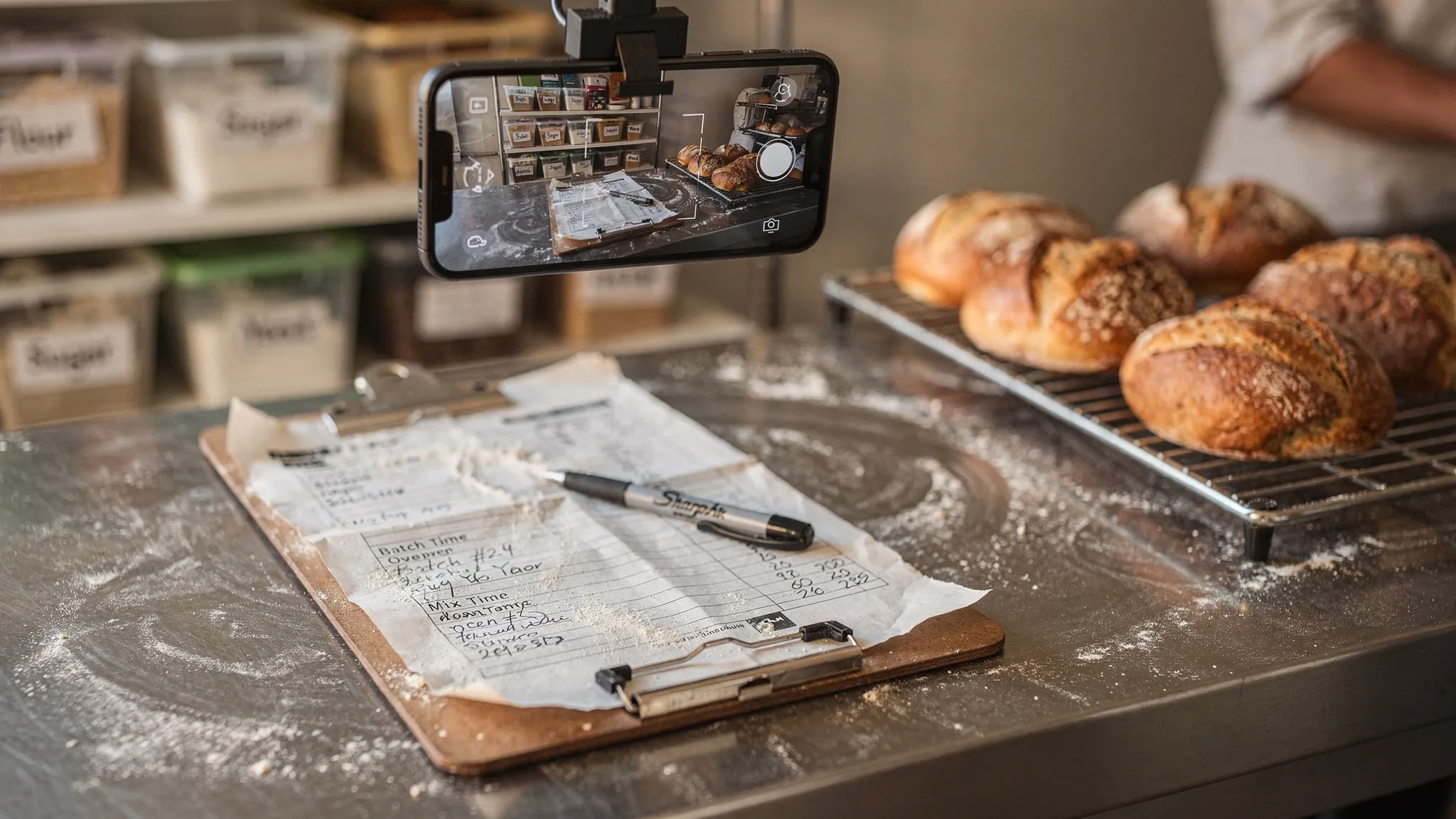
What data extraction without changing your forms looks like
- You snap a photo of a filled-in batch sheet or receiving log.
- Batch Better recognizes the layout and reads the handwriting.
- The platform validates lot codes, dates, quantities, and supplier info against what you already have in stock.
- If there are any potential errors or unrecognizable items, you get automatically notified for a quick fix. This ensures the data is accurate.
- Inventory updates in real time, and each lot is traceable forward and backward.
No new templates, no retyping, no hunting for the latest version of a spreadsheet.
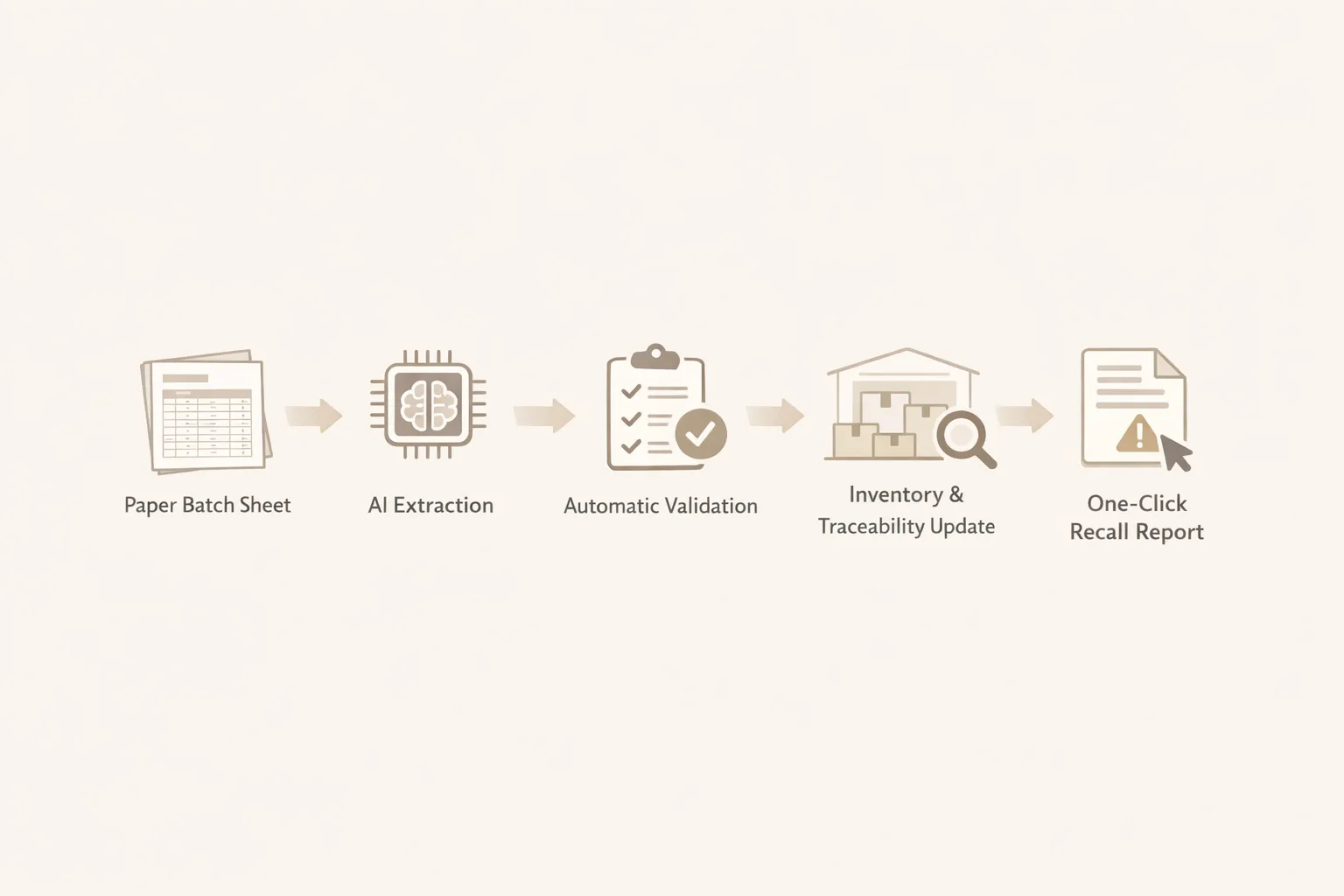
How it works in 4 simple steps
- Capture: Take a photo of your paper forms with any phone, or drag and drop scans you already make for filing.
- Extract: Our AI reads printed and handwritten fields, then structures them as lots, batches, quantities, dates, and operators.
- Validate: Automatic checks catch missing signatures, quantity mismatches, and lot codes that do not exist in your inventory. If something looks off, you get a clear flag to fix it fast.
- Trace and report: The validated record updates inventory, links ingredients to finished goods, and powers one-click export reports for audits and recalls.
The intelligence runs quietly in the background. Your team keeps making great food.
Validation that prevents audit headaches
Errors happen. A 7 looks like a 1, a best by date overlaps a pack date, someone writes a supplier lot in the internal lot box. Batch Better auto-validates what it reads and flags issues before they snowball.
Examples of checks you get out of the box:
- Lot codes: Confirm expected format and check that the lot exists. If a lot is new, Batch Better prompts to add it.
- Item names: Receiving, production, and shipping teams can label items differently than your spreadsheets. Batch Better catches it.
- Quantities and units: Match units between receiving, production, and packaging records, and catch negative or out-of-range numbers.
- Required fields: Ensure signatures, initials, or checks are present where your form expects them.
Catching a bad lot code on Tuesday is a lot cheaper than explaining it on audit day.
Forward and backward lot tracing on demand
When every batch sheet feeds a structured record, tracing becomes a click, not a fire drill. Need to know which finished goods used a specific spice lot, or which customers received cases from a certain production run? You can trace forward from ingredient to finished goods and customers, or trace backward from a case to the exact inputs and supplier.
This is the core of being recall ready, and it lines up with the spirit of the FDA's traceability expectations. If you are tracking Key Data Elements and Critical Tracking Events, you know the drill. You can read more about the Food Traceability Rule on the FDA site here: FDA Food Traceability Rule. Standards bodies like GS1 also provide guidance on identifiers and traceability practices that many auditors recognize: GS1 Traceability.
From paper to clear inventory decisions
Once your handwriting becomes clean data, you finally see what is moving, what is aging, and what needs action.
- Real-time inventory tracking: Receiving, production, and shipping forms immediately update on-hand counts by lot.
- Expiry and FEFO tracking: See what is closest to expiry and move it first. Reduce write-offs and last minute discounts.
- Lot label printing and scanning: Print and scan labels to reduce miskeys and speed up receiving and picking.
- One-click export reports: Generate audit packets and recall summaries with the supporting records attached.
- Smart help when you want it: With better data, you can enable repurchase prediction and smart product bundling to reduce stockouts and move inventory efficiently.
Here is a snapshot of what Batch Better extracts from common forms and how it is verified.
| Paper form field | Digital record created | Automatic validation examples |
|---|---|---|
| Supplier and PO | Supplier record linked to PO and receiving event | Confirms supplier exists, flags unknown POs |
| Ingredient lot code | Lot record tied to SKU and supplier | Checks format and existence, prevents typos and duplicates |
| Quantity and unit | On-hand quantity by lot and location | Unit consistency and range checks |
| Production date and batch ID | Batch record with inputs and outputs | Date sanity checks, batch ID uniqueness |
| Best by or expiry | Expiry tracking for FEFO | Ensures expiry is after production and in an expected window |
| Operator initials or signature | Accountability on the record | Required field check and timestamp capture |
Set up that respects your time
Getting started does not require a process overhaul. You share the paper forms you already use, and we map their fields once. If you have two versions of a batch sheet, we handle both. If the form changes later, updating the map is quick. You do not need to retrain your team or buy special scanners. A clear phone photo in good light works.
Because nothing big changes on the floor, adoption sticks. The only visible difference is that you get deep, real-time insight into your inventory and the answers you give auditors are faster.
A quick real world example
A small sauce producer received a pallet of chili powder and wrote the supplier lot on the receiving log. During batching, a crew member misread the digit and wrote the wrong lot onto the batch sheet. Batch Better extracted both entries and flagged the conflict. The team resolved the typo quickly.
Before the sauce shipped, the team scanned the physical label to confirm the correct lot. Inventory updated, the record linked the right ingredient to finished goods, and the packaging log printed with the correct lot. No rework, no recalls, no surprises.
Who this helps most
- Small and growing food producers that live on clipboards and binders but want traceability now.
- Food safety professionals who need clean, recall-ready records without imposing new tech on the floor.
- Operations teams that juggle receiving, batching, and shipping while keeping waste down and audits calm.
Frequently Asked Questions
Do we have to redesign our forms or switch to tablets?
No. Batch Better learns your existing forms. You keep your paper and your workflow, and we do the data extraction in the background.
How accurate is the handwriting extraction?
Very accurate in normal conditions. When a field is unclear, the system flags it for a quick confirmation instead of guessing. Validation checks also catch typos and mismatches.
What kinds of forms does this work with?
Receiving logs, batch or cook sheets, and shipping logs are the most common. If your form records lots, quantities, dates, or signatures, we can usually capture it.
Can it trace lots forward and backward?
Yes. Each captured form updates lot relationships, so you can trace from an ingredient to all finished goods and customers, or from a shipped case back to its inputs.
How are errors handled?
If a lot code is invalid, a date does not make sense, or a quantity is out of range, you get a clear flag with the exact field to review. Fix it once and the record updates everywhere.
Will this slow down my crew?
No. The only new step is taking a quick photo of the completed form. Everything else runs automatically. If you are manually entering this information into a spreadsheet, it could actually save you a lot of time.
Does this help with audits and recalls?
Yes, this is a crucial part of being prepared. Records are recall ready, and you can export the supporting documentation with one click. This aligns with FDA traceability expectations and common audit needs.
What about data security and integrations?
We take data stewardship seriously. If you want to connect Batch Better to other systems, talk to us so we can review your setup together.
See your forms in action
Keep your clipboards. Lose the chaos. Let Batch Better extract, validate, and organize the data you already write so you can trace lots instantly, waste less, and face audits with calm.
Ready to try it on your forms? Get a walkthrough and see how fast you can go from paper to recall-ready inventory.